

Before you start
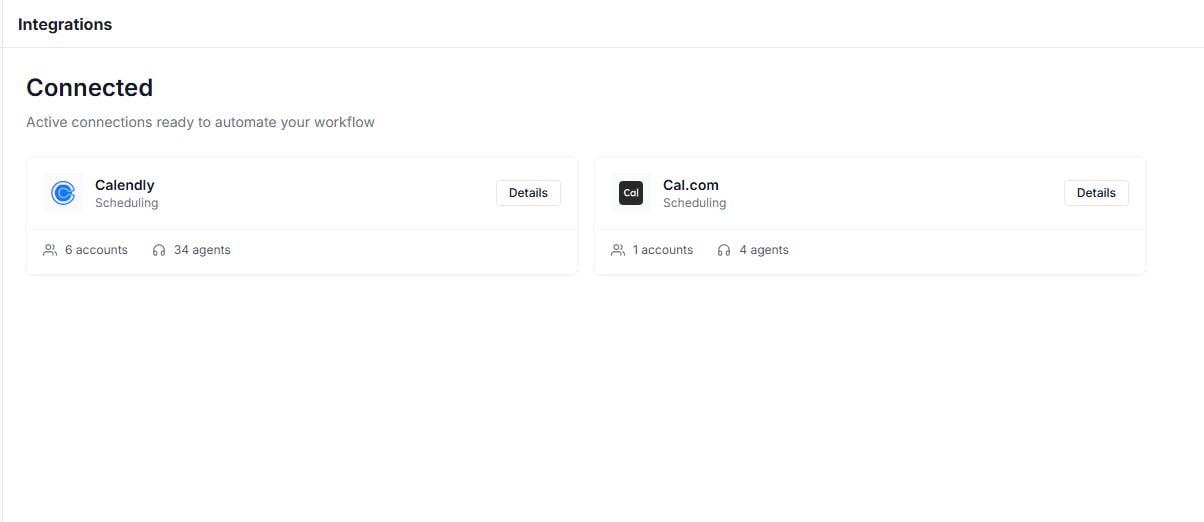
1) Connect your scheduling tool
Go to Integrations and connect your scheduler so it is available in both:- Agent Builder -> Speak node -> Actions
- Automations -> Steps (Automation actions)
Key building blocks (how scheduling works)
Variables (capture the caller’s date/time)
Variables extract immediately after the caller’s latest reply and before outcome evaluation, so your routing can validate the date/time right away. If you loop back to the same node, variables re-extract and overwrite prior values (perfect for “try again” date collection). See Loops.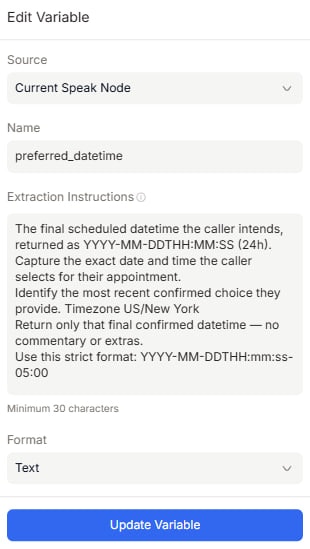
Actions (run scheduling mid-call)
In our agent, Actions run mid-call from a Speak node. When Actions exist, the node can auto-proceed without waiting for another caller reply, and rule-based outcomes are recommended because outcomes fire based on internal values/results.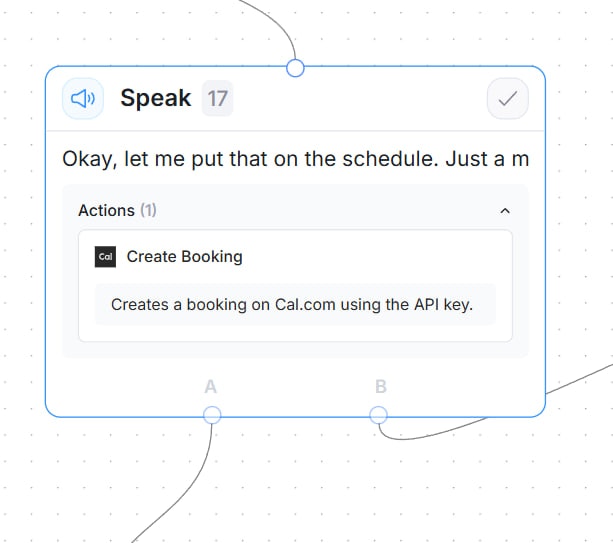
Scheduling timezone handling (important)
Scheduling related Actions accept an optionaltimezone. If not set, Thoughtly falls back to:
- timezone input (action config) -> 2) agent timezone (advanced settings) -> 3)
America/New_York.
Pattern A (recommended default): Caller picks a date/time, then book it
Flow overview
- Ask for preferred date (Speak -> Prompt)
- Check availability mid-call (Speak node -> Get Available Times Action)
- Present returned slots and collect a choice (Speak -> Variable + loop to Step 2 if needed)
- Book the selected slot (Speak node with Scheduling Action)
- Confirm (Message / Prompt)
- Fallback (offer alternatives or Transfer)
Step-by-step (Agent Builder)
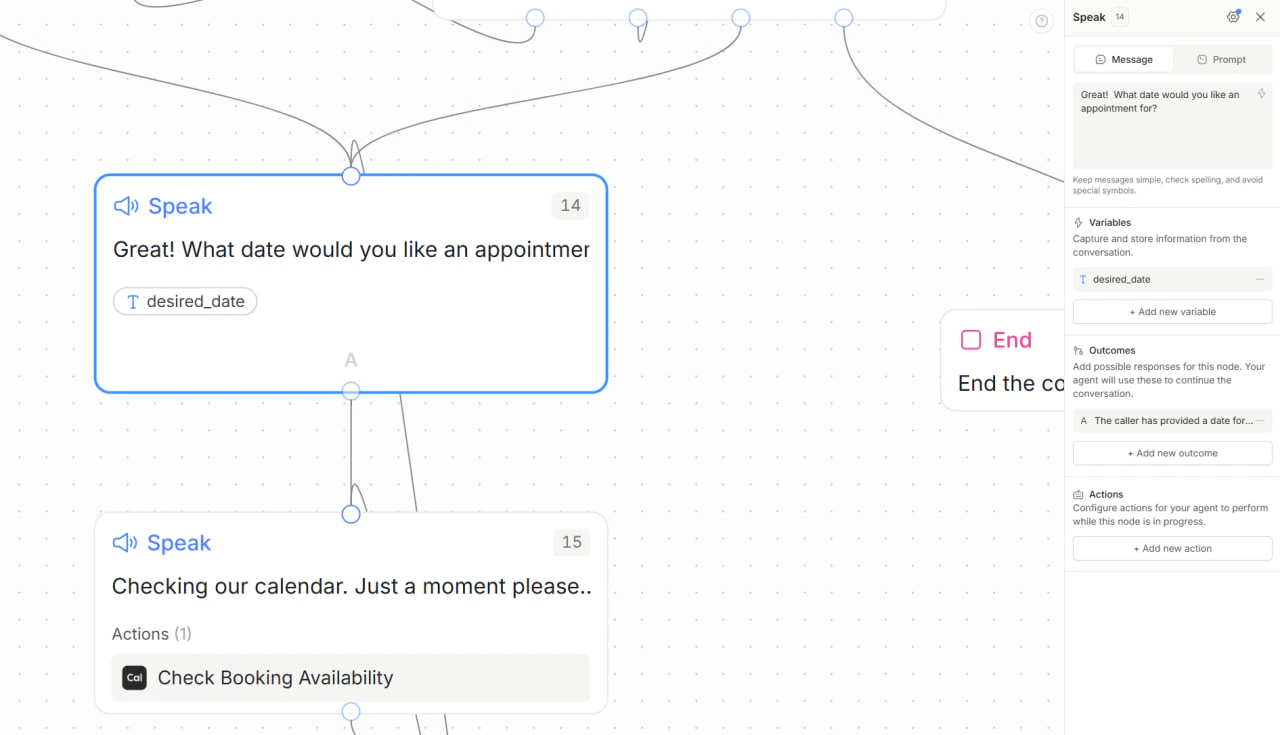
Step 1 - “Collect preferred date” Speak node
Create a Speak node that asks something like:- “What day works best for you?”
- “If you have a timezone preference, tell me as well.”
preferred_date(Text)preferred_timezone(Text, optional)
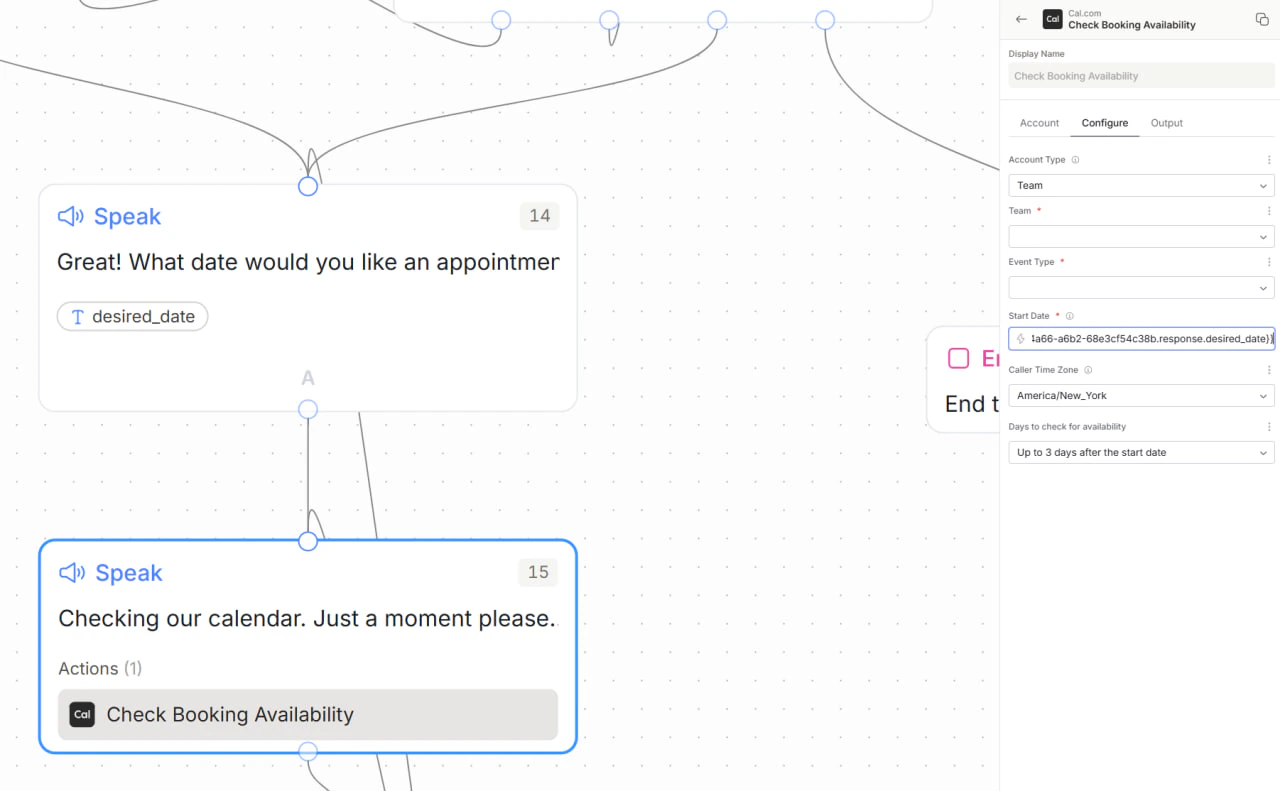
Step 2 - Check availability node (mid-call Action)
Create a new Speak node to run availability lookup:- Message: “Let me check what times are open.”
- Add a scheduler Get Available Times action (Calendly or Cal.com)
- Map input values from Step 1:
- Requested date:
preferred_date - Timezone:
preferred_timezone(optional)
- Requested date:
Step 3 - Collect preferred slot from returned availability
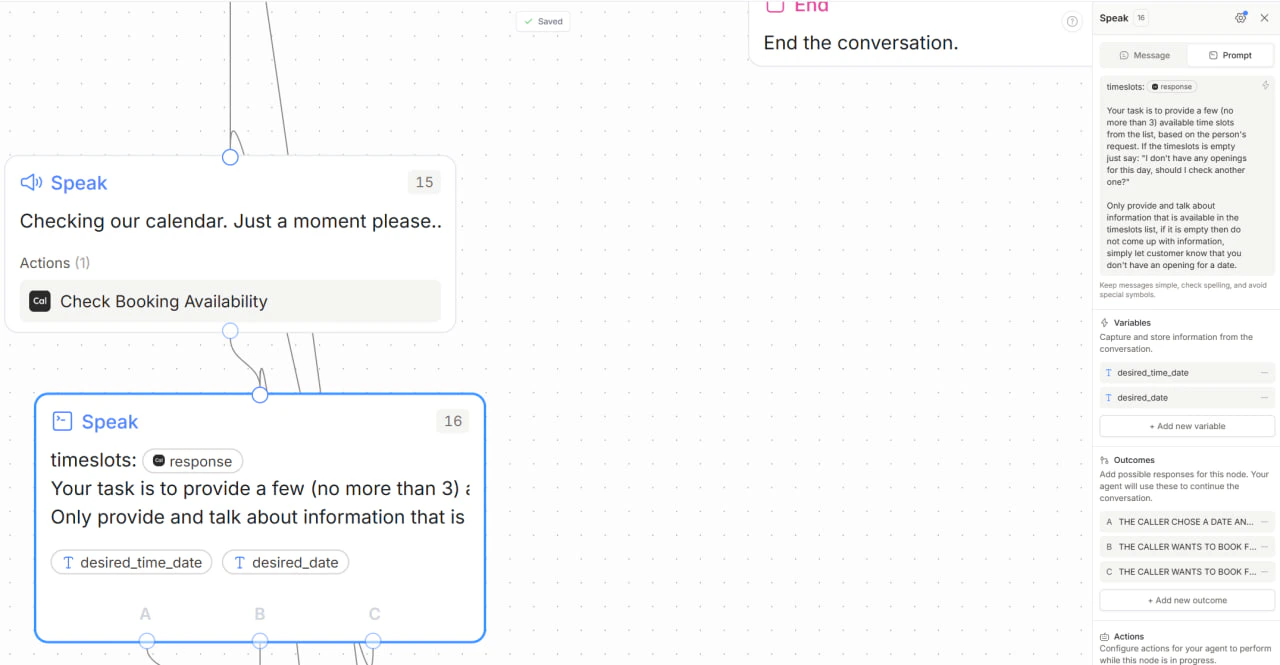
Create another Speak node that presents the returned slots and asks the caller to pick one:- “I have 10:00 AM, 2:30 PM, or 4:00 PM. Which works best?”
- Extract a variable such as
selected_timefrom the caller’s reply - Add outcomes on this node:
- If
selected_timeis valid -> continue to Step 4 (Booking) - If no slot is selected, caller wants another time, or caller provides a different date -> loop back to Step 2 (Check availability) and run lookup again
- If
Step 4 - Booking Speak node (Actions)
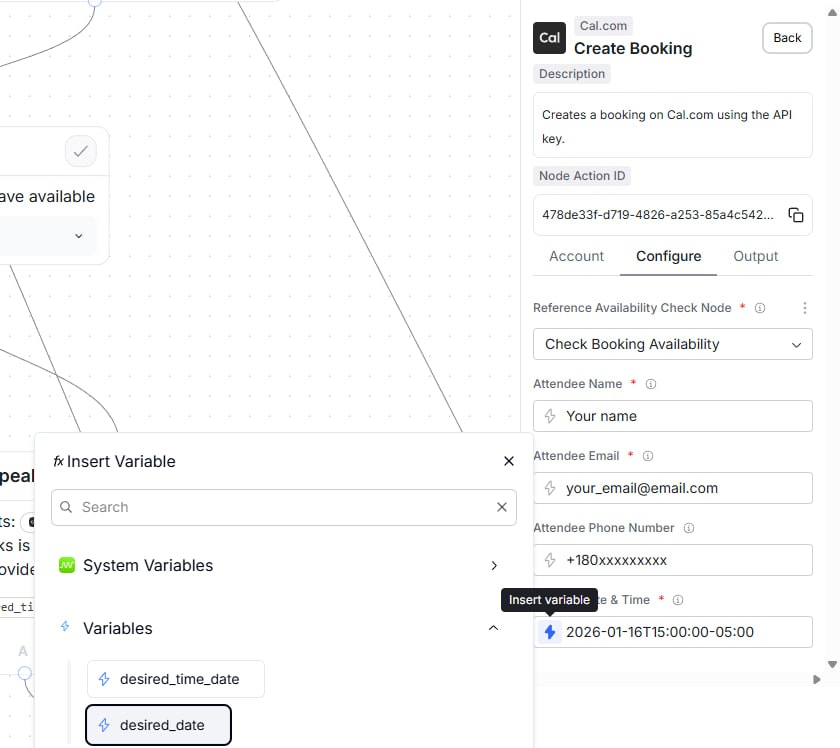
Create a new Speak node:- Message: “One moment while I book that for you.”
- Add an Action for your scheduler (Calendly or Cal.com) and map:
- Date/time input:
selected_time - Timezone:
preferred_timezone(or rely on the Calendly fallback order)
- Date/time input:
Step 5 - Confirm vs error (rule-based Outcomes after booking)
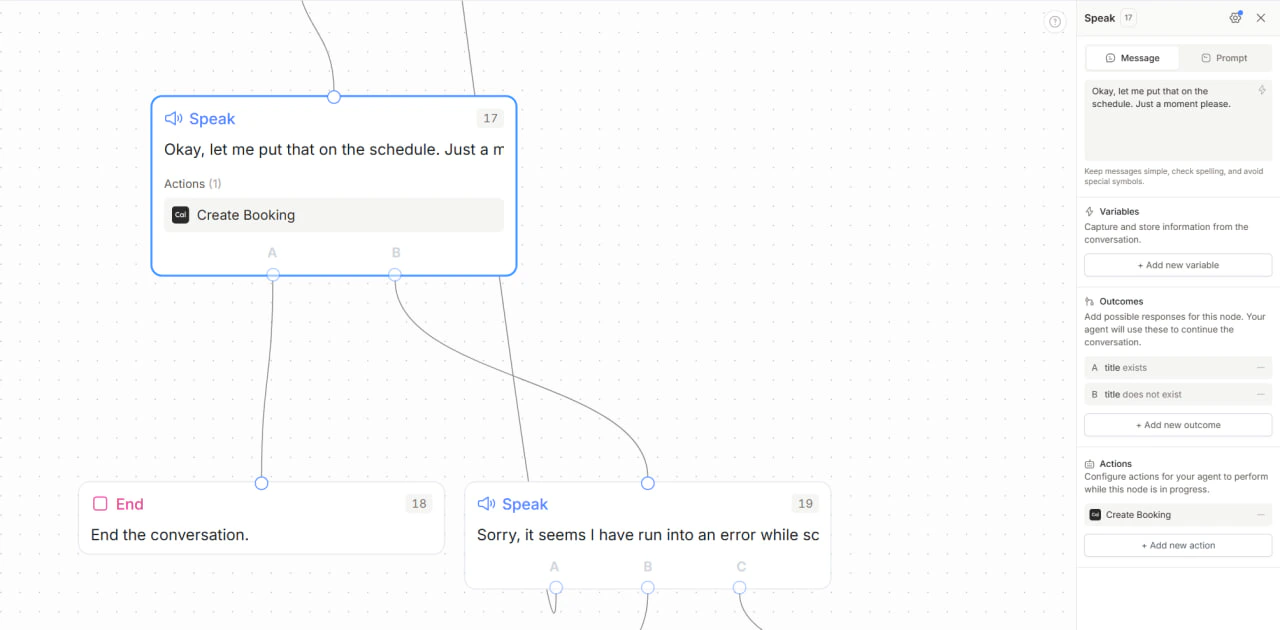
In the same booking node, add rule-based outcomes that check Action outputs such as:booking_status == "confirmed"-> confirmation node- Else -> error-handling node (try different time / get availability / transfer)
Step 6 - Confirmation Speak node
Use Message mode if you want an exact script:- “You’re all set for [date/time]. You’ll receive a confirmation shortly.”
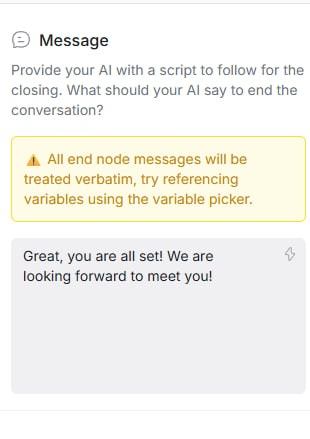
Pattern B (pre-call availability): Prefetch times in Automations, book faster mid-call
This pattern reduces mid-call complexity by fetching available times before the live conversation starts, then using those times as metadata during the call. It is ideal when you want:- Faster conversations
- Fewer mid-call API round trips
- Simpler agent logic
- More deterministic scheduling flows
How it works
1) Pre-call Automation
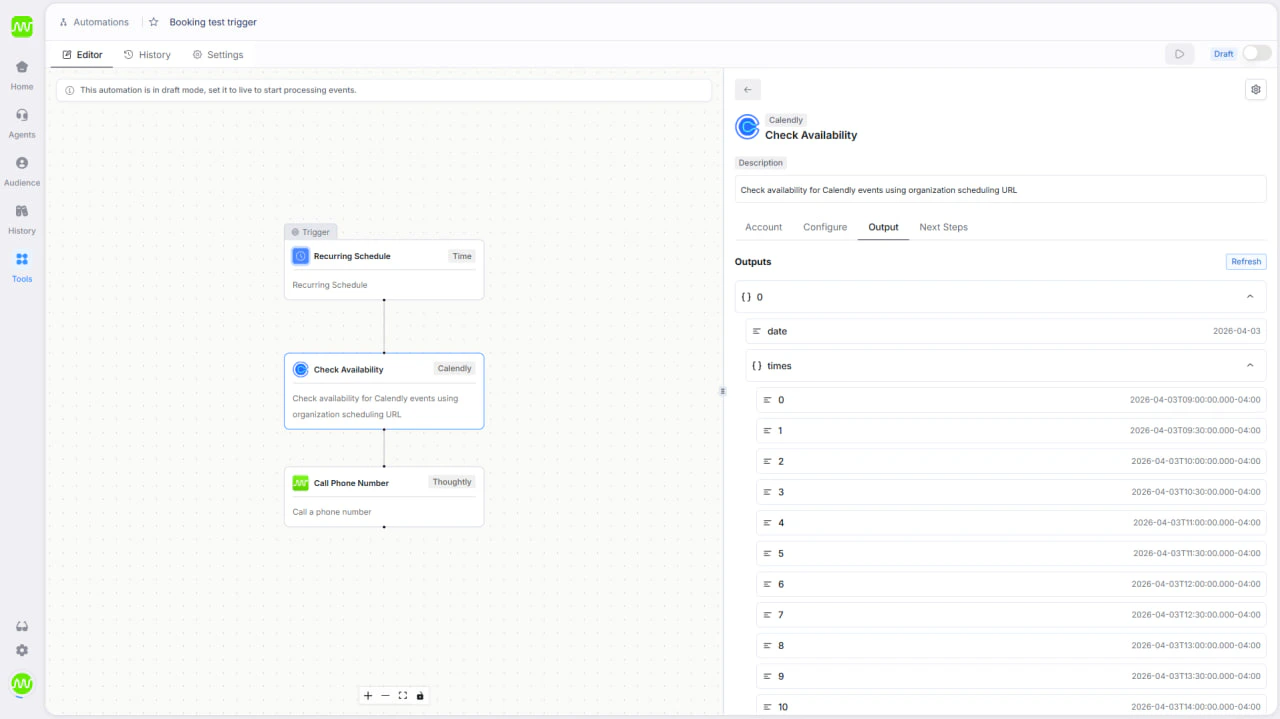
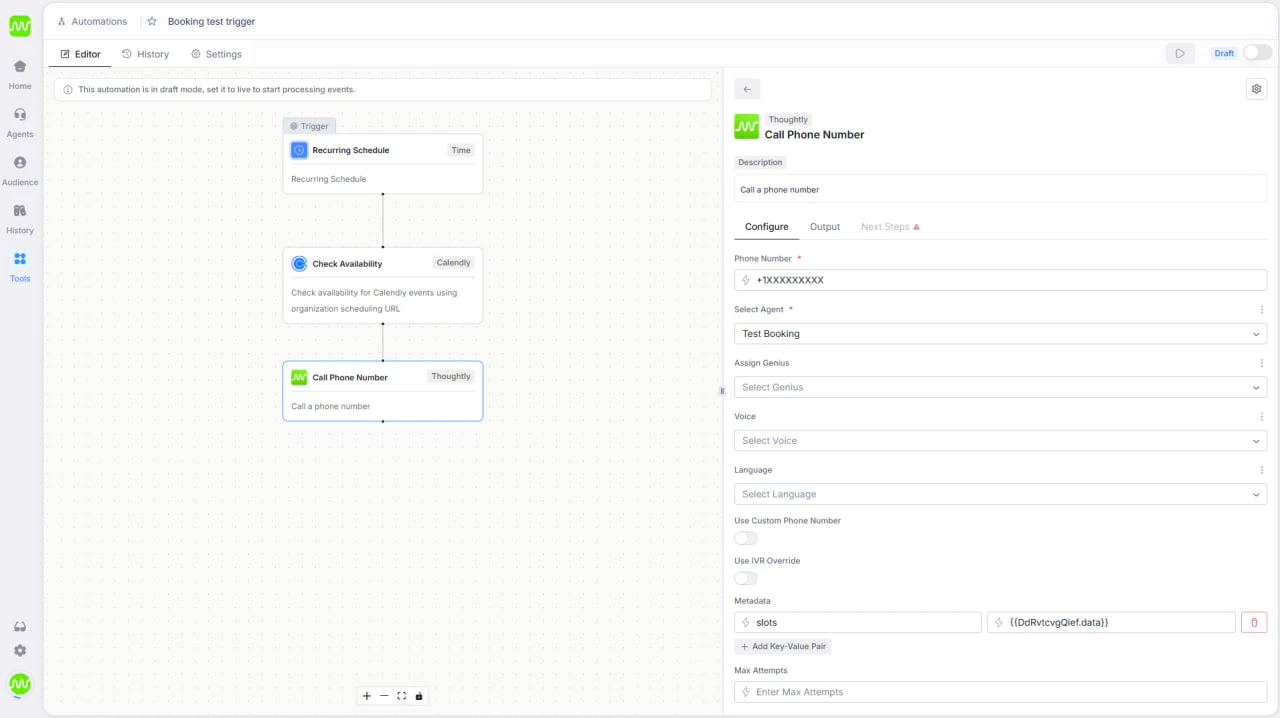
Use a Get Available Times action inside an Automation, then store the returned times in metadata before you trigger the call.- Add a scheduling availability step (Calendly / Cal.com)
- Store output as metadata (for example:
available_times) - Start or route to your call only after this step succeeds
2) Agent conversation
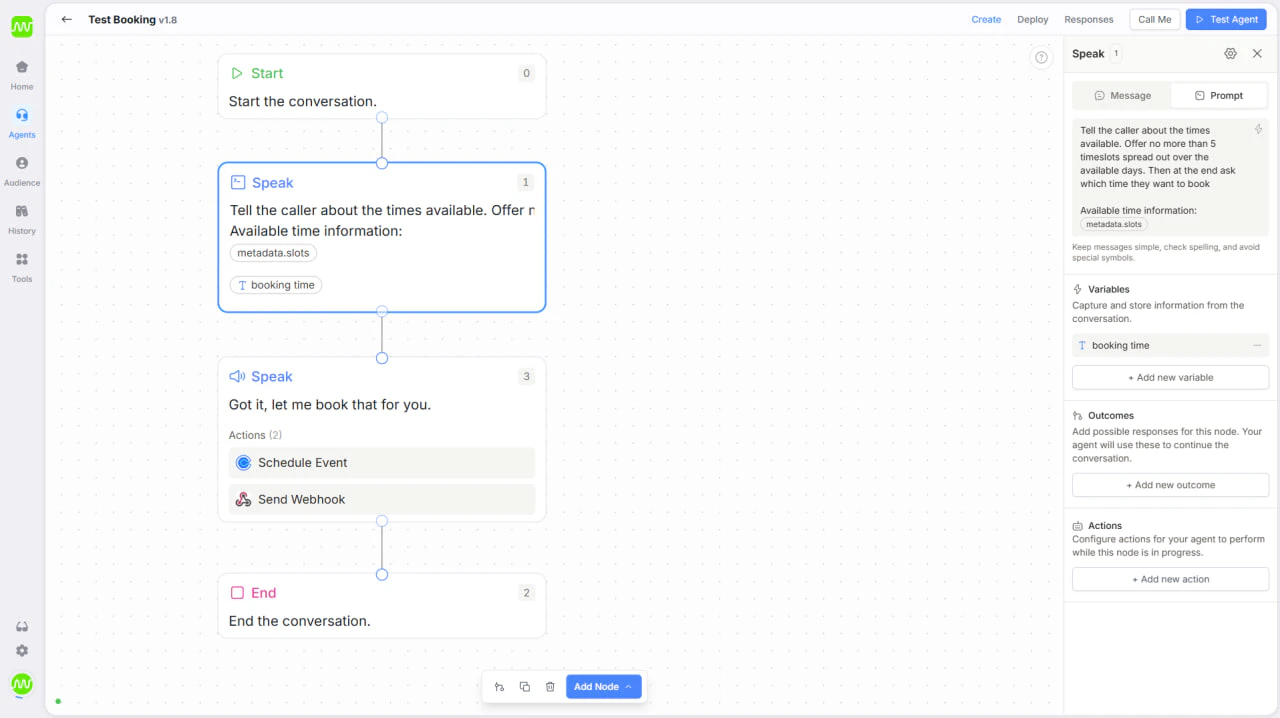
During the live call, the agent reads options fromavailable_times, presents a short list, and captures the caller’s selected slot.
- Present only times that already exist in metadata
- Capture selection in a variable such as
selected_time - Confirm the chosen slot out loud before booking
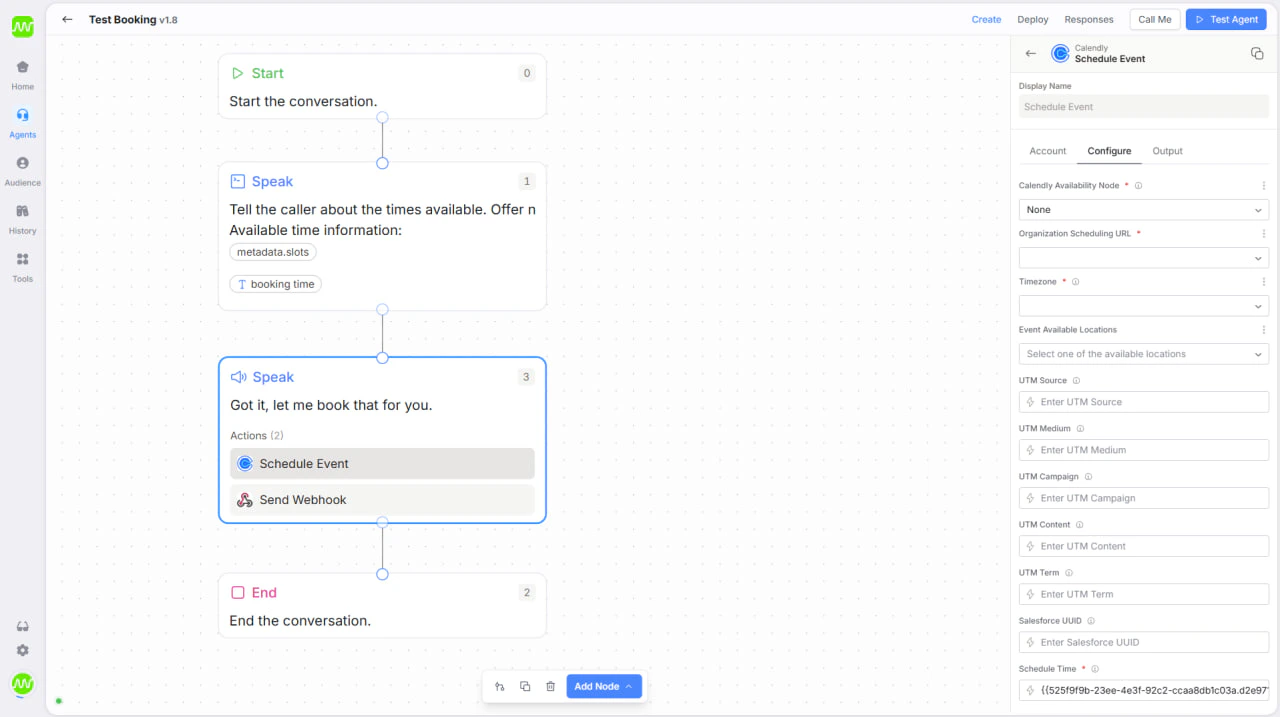
3) Booking Action
In the scheduling Action, set Reference Node to None and map the selected time directly from metadata/variables instead of calling availability again mid-call.- Reference Node:
None - Booking time input:
selected_time(or equivalent mapped value) - Keep booking outcomes rule-based (
confirmedvs fallback path)
Why this reduces friction
Because availability is already known:- The agent does not need to fetch availability mid-call
- There is no back-and-forth waiting on additional API checks
- The conversation feels faster and more natural
- The in-call routing logic is much simpler
Important limitation
This approach works best for near-term scheduling windows (typically within a week). If callers often request far-future dates, Pattern A (real-time availability lookup) is still recommended for accuracy.When to use Pattern B
Use pre-call availability when:- Speed and conversational simplicity are top priorities
- You want fewer live integrations running during calls
- Booking windows are short-term and predictable
- You prefer deterministic slot presentation over open-ended date parsing
- Pattern A: Flexible, real-time booking with full date parsing
- Pattern B: Faster, lower-friction booking using prefetched availability