

| Feature | Metadata 📝 | Attributes 💾 |
|---|---|---|
| Scope | Single call only | Persistent on contact |
| Lifespan | Temporary (discarded after call) | Permanent (survives across calls) |
| Use cases | Campaign labels, A/B testing, call-specific context | Customer preferences, status, demographics |
| Set from | Automation steps (Call Phone Number, Call Contact) | Automations, API, manual contact updates |
| Access in agent | {{metadata.VARIABLE_NAME}} | {{attributes.VARIABLE_NAME}} |
| Example | campaign: "summer_promo" | preferred_language: "spanish" |
| Think of it as | A sticky note on this one call | A sticky note on the contact record |
- Metadata = a sticky note on this one call. Use it, then toss it.
- Attributes = a sticky note on the contact. It stays for future calls.
Metadata - short-lived, per-call context
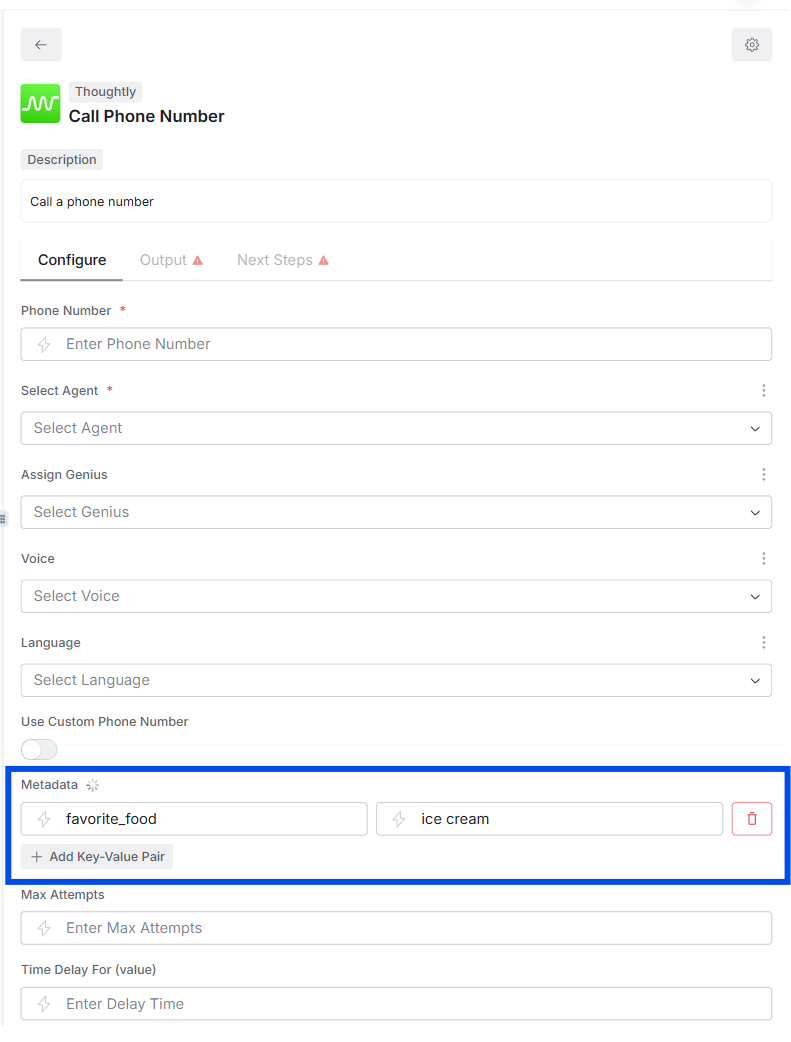
You add Metadata in an automation step that places a call (Call Phone Number or Call Contact). It travels only with that call. When to use- Campaign labels you do not need long term (for example
campaign,utm_source) - A/B variant flags (for example
script_version: "B") - Temporary hints just for the agent (for example
priority: 2,intent: "book_demo")
{{metadata.campaign}} -> q4
Set from automations
- Exists during the call only.
- Not written back to the contact automatically.
- If you want to keep it, log a summary or copy values into Attributes after the call.
Attributes - persistent facts about a contact
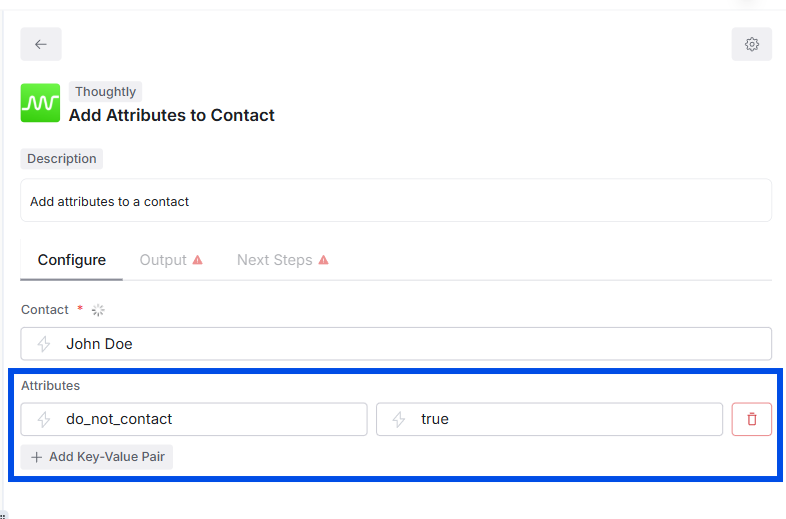
Attributes live on the Thoughtly Contact record. They are created or updated by steps like Create or Update Contact or Add Attributes to Contact. When to use- Traits you will reuse:
region,plan,lifetime_value,last_booking_at - Routing decisions across many calls:
vip: true,do_not_call_until: "2025-11-01" - Data you need available for inbound logic (see On Inbound Call)
{{metadata.system.contact.attributes.region}}->EU Central{{metadata.system.contact.attributes.vip}}->true
- Sticks to the contact across all future calls (outbound and inbound).
- Overwrites on the next update if you send the same key.
How they work together
A practical sequence might look like this:- Webhook trigger arrives with
{ phone, intent }. - Create or Update Contact -> set Attributes
{source:"ads", region:"US"}. - Call Contact with Metadata
{intent:"book_demo", campaign:"q4"}. - Inside the agent prompt:
- “If
{{metadata.intent}}isbook_demo, offer times.” - “Mention support region
{{metadata.system.contact.attributes.region}}.”
- “If
- Post-call (On Call Completed automation, scoped to one agent, multiple agents, or All Agents):
- Write
last_called_atandlast_outcomeas Attributes for reporting.
- Write
Quick Do / Don’t
Do- Use Metadata to carry per-call flags (campaign, test group, intent, priority).
- Use Attributes for facts you will reuse (segment, plan, consent timestamps).
- Name keys in
lower_snake_case(campaign, last_purchase_at). - Keep values simple: strings, numbers, booleans, ISO dates.
- Do not store PII you do not need.
- Do not rely on Metadata to be available on future calls; it will not be.
- Do not pack huge JSON blobs into Attributes; keep them concise.
Common patterns
- Campaign calls: Metadata
{campaign:"spring"}+ Attributelast_called_at - A/B testing: Metadata
{variant:"B"}+ Attributelast_variant:"B"(for long-term tracking) - Inbound readiness: Attributes
{plan:"pro", vip:true}set ahead of time so inbound routing is instant - Compliance: Attributes
{consent_sms:true, consent_recorded_at:"2025-10-07"}
FAQ
Can I copy Metadata into Attributes?Yes. After the call (On Call Completed), add a step to write selected Metadata keys into Attributes. Which wins if both exist?
They do not conflict. Metadata is read-only to the call; Attributes live on the contact. If both define something like
priority, your prompt decides which to honor.
Where do I see them?Metadata appears in call context and logs. Attributes show on the contact record and can be searched or filtered.
See also
- Variables - in-agent extraction and prompts
- Automations - Steps - call steps where you set Metadata and Attributes
- Automations - Triggers - where automations start
- Automations overview - write results back into Attributes for reporting
Automations Overview
Head back to the overview to design end-to-end workflows ->